What Nova is
Nova is a Shopware theme. A sales channel uses it in the same way as any other theme: the theme is chosen on the channel’s Theme tab. What distinguishes Nova is that the look of the shop and the layout of its pages are not fixed in the theme. They are kept in records of the shop, edited in the admin under Content → Nova, and published when they are ready.
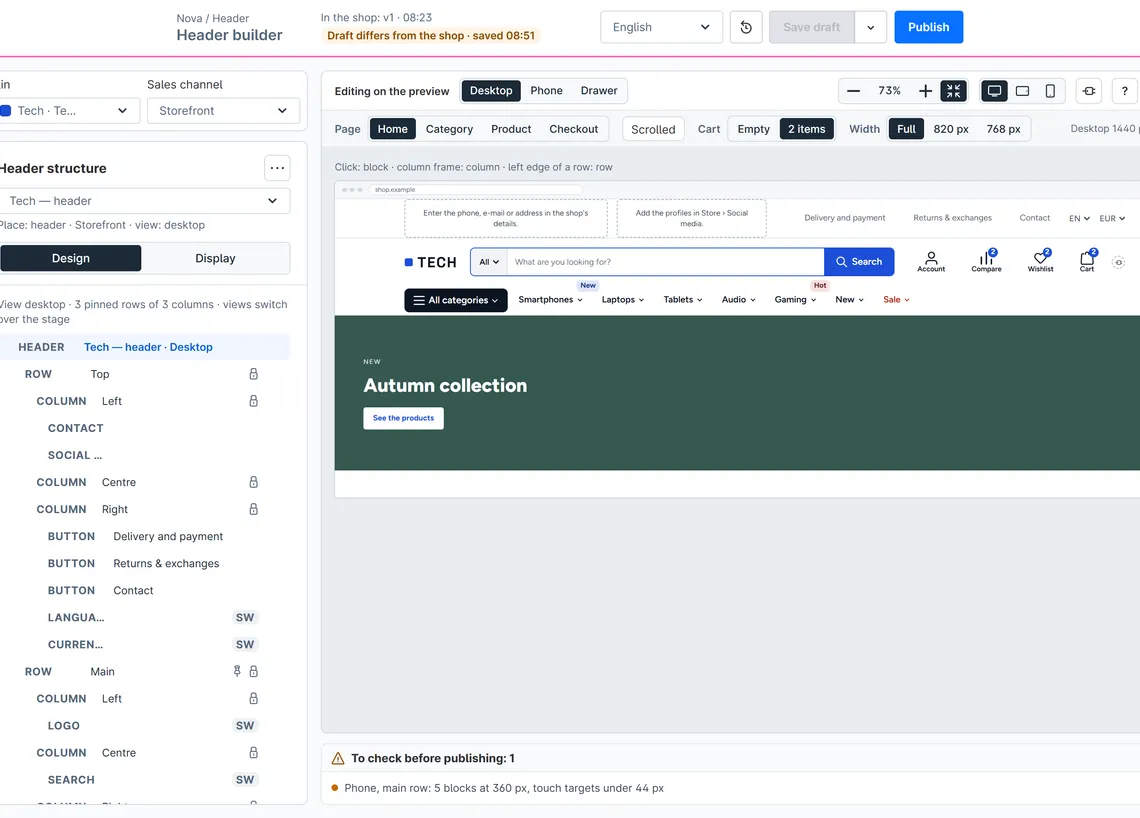
Shopware allows one theme per sales channel and compiles every channel that uses it. Nova therefore remains one theme, and the different looks of the shop are kept as skins in the database, not as further themes.
The terms used in the editor
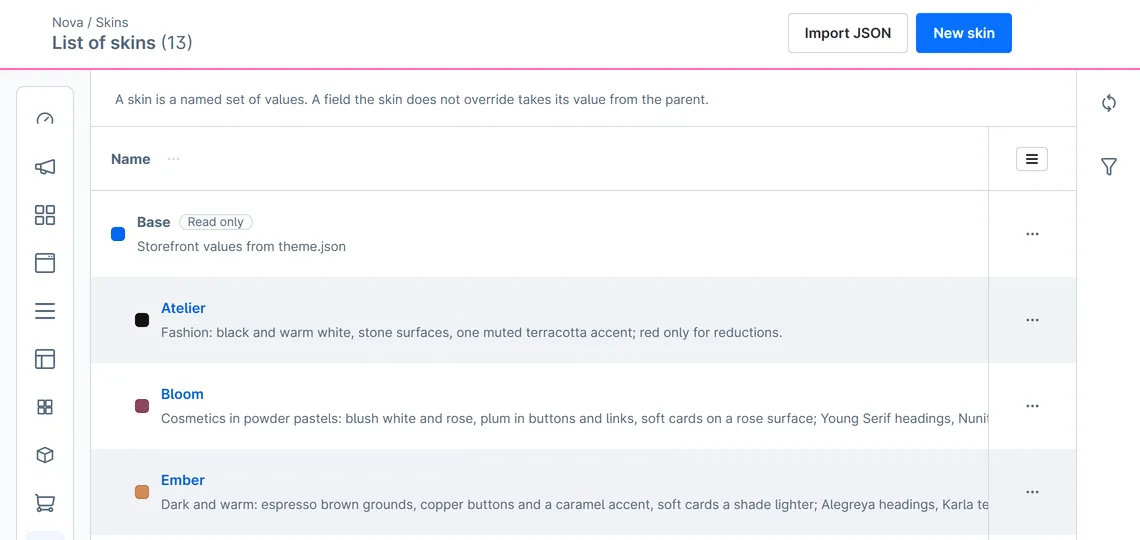
Section titled “The terms used in the editor”Skin is a named set of values for the look of the shop: colours, typography, spacing, radii and shadows, breakpoints, the logo and the styles of the components. A value the skin does not set is taken from its parent skin. Every chain of skins ends with Base, which holds the Storefront values of the theme and cannot be edited. → Skins and publishing
Draft and publication. Every change is first written to a draft. The shop shows only what has been published: a skin when its draft is published as a new version, a document when its draft is published and the document is placed where it is to be shown. The preview in the admin shows the draft.

Channel layer is a skin bound to one sales channel and placed on top of the skin assigned to it. It holds the values the channel sets for itself, so that several channels can share one skin and still differ in single values.
Document is a record edited in one of Nova’s builders: a header, a footer, a menu, a banner set, a popup, a notice bar, a tab bar, a section, a product page template, a product info, a quick view, a cart and checkout layout, or an item of the library. A document holds layout and content; its colours, typefaces and animations come from the skin of the channel. → Documents
Assignment determines on which pages, in which sales channels and for which customers a document is shown. For the kinds of which one document is shown per page, the default document is shown wherever no other document matches. → Assignment
Variables are the values of a skin that the whole shop relies on: colours, typography, grid and spacing, radii and shadows, breakpoints and the logo. Component styles build on them and describe buttons, form fields, controls, cards, badges, links, breadcrumbs, block headings and prices. → Colours · Element styles
Starter kit is a ready configuration of the whole shop uploaded to the shop as a package: skin, header, menu, footer, home page, category layout, product page, checkout and banners. A kit is imported into drafts first; the shop changes only when the kit is published. → Starter kits
→ Glossary contains the remaining terms, explained in the same way.
What changes in the shop
Section titled “What changes in the shop”A sales channel that does not use the Nova theme, or a theme built on it, shows no skin. A channel that receives the theme shows Nova’s default header, footer, product page and quick view, which are created and published at that moment, unless the shop already has published defaults of these kinds.
A channel without an assigned skin shows the values of Base. The skins delivered with Nova are created as drafts when the plugin is activated, so no channel changes until one of them is assigned to the channel and published. → Installation
The two headers below come from two sales channels of one shop, with the same catalogue and both on the Nova theme:


Next steps
Section titled “Next steps”- Installation: installing the plugin and choosing the theme for a sales channel.
- The Nova rail: how the editor is laid out.
- Dashboard: the setup guide of each sales channel.
- Setup assistant: the card that leads through the steps.